

I originally wrote this post on Medium several years ago, but I’ve decided to move it here. It has been very popular and these Mac Pros are becoming old enough to be considered retro by some.
After breathing new life into my 2009 Mac Pro by upgrading its CPU, I started investigating others ways to update its capabilities. I’m not a gamer, so I didn’t expect that a new graphics card would be the next thing I upgraded!
After reading my CPU upgrade article, a co-worker noted that he had replaced the graphics card with an Nvidia Geforce 980ti and hooked up a Dell 4K (UHD) 28" monitor and that it was amazing. Now my eyes are not as good as they once were, so the idea of using a 4K display in HiDPI mode was appealing to me. On a 28" display this would allow for large, sharp text that I could see easily.
Note: I’m using 4K to refer to the display, but it is really UHD (ultra high definition, 3840x2160)
I did a quick search but found that the 980ti was a bit pricey (about $500 — $600 at the time) on eBay. Plus the Dell monitor was another $500 to $600. Spending up to $1200 to get a 4K display was not something I could consider. But I made a note of it and started digging into things.
I found that there were other less expensive cards that could also support 4K displays. I eventually came across the Nvidia Geforce 750ti as a possible choice. It could support 4K (using DisplayPort) and I was able to find various cards on eBay for around $120 or so. I eventually found an EVGA Nvidia Geforce 750ti 2GB that had been flashed for Mac (by MacVidcards.com) with a Buy it Now of $130. So I bought it.
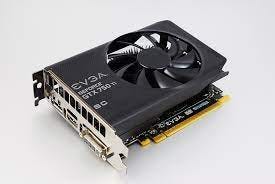
The card arrived quickly. In preparation, I had already installed the necessary Nvidia video drivers. Installation was easy enough, although I ran into a couple minor hiccups.
The first thing I did was power down the Mac Pro and remove the ATI Radeon 4870 card. I then plugged the 750ti into the now empty 16x PCI slot, connected my 27" Monoprice Glass Panel Pro (2560x1200) and booted the Mac Pro.
It booted just fine and all seemed perfectly normal. This card is noticeably quieter than the Radeon 4870, which would run its fan at full-speed for several seconds when the computer first booted, making a loud whooshing noise before slowing them down. The 750ti fan does not have this annoyance, which was a pleasant surprise. After playing around for a bit, I then decided to reboot again and this is where problems started.
The Mac Pro rebooted, but the display never activated. It was as if it could no longer see the card. I powered down again, took everything out and put back the ATI card and booted back up. All worked fine.
I then put the 750ti back in and it did not boot. I next tried putting the card into a different slot and it did boot. Yay! I decided to leave things like this and went ahead with normal use of the Mac Pro. Now I was ready for a 4K display and added the Dell 28" to my watch list on Amazon to keep an eye on its price.
A few days later, I was checking Woot! and noticed they had a Samsung 4K 28" display listed for $300. It was the E model, which came out in early/mid 2015. The D model was still selling on Amazon for around $500 and had reasonable reviews.
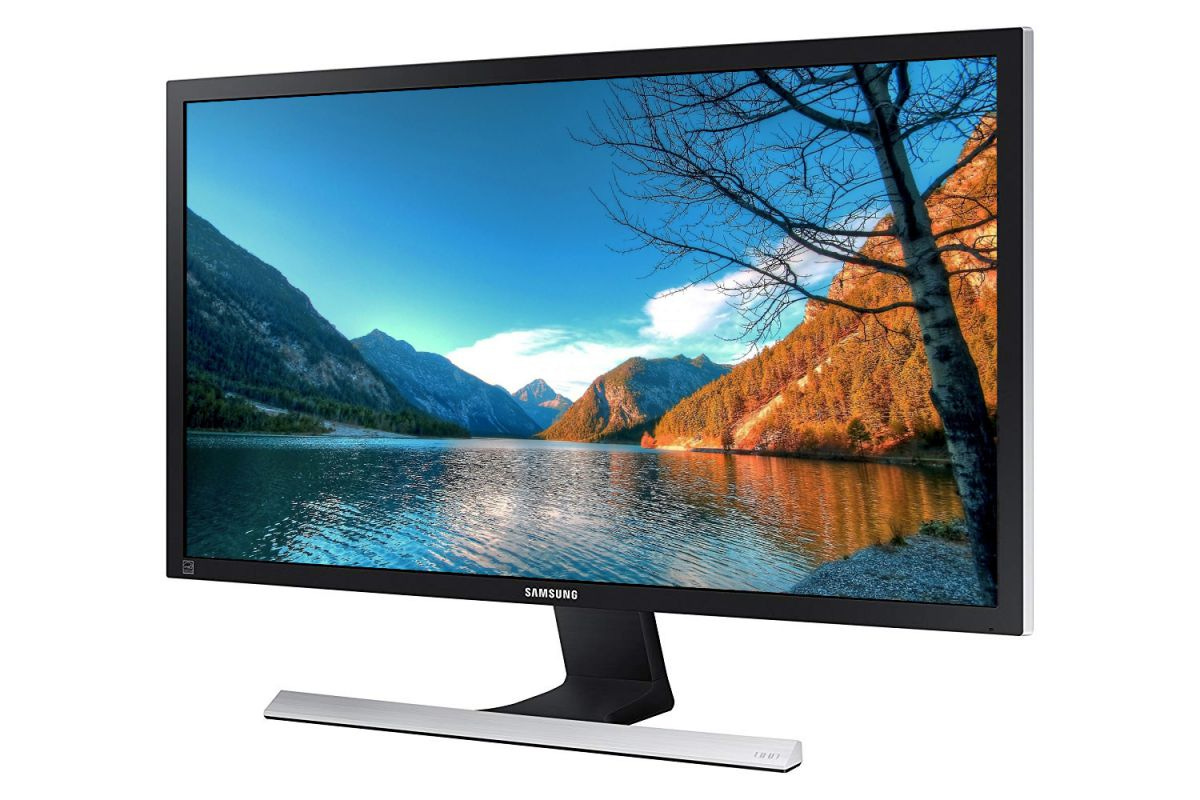
I did more research to make sure that this display could run at 60hz and everything indicated all would be good with a DisplayPort cable, so I ordered it. The E model had a couple advantages over the D model, including the ability to mount it to a VESA stand and the ability to do 60Hz over HDMI 2.0.
The monitor surprisingly arrived just a couple days later. I did not expect such fast shipping from Woot! I already had a miniDisplayPort to DisplayPort cable, so I quickly got the new display hooked up. The Samsung is much lighter than the Monoprice display.
After booting, I could not believe my eyes. By default it booted into HiDPI mode (Retina) and everything was razor-sharp!
The Samsung display is great with sharp, easy on-screen menu controls. The display even tilts although it does not have a height adjustment. This display is an older TFT design and not the newer IPS screens that have better viewing angles, but it works and looks fine to me, especially since I’m not a gamer, not a graphics designer and am partially color blind!
You can even use the display in native 4K mode with full usage of all 3840x2160 pixels, but everything is really tiny. Lots of screen space, though! You can also run other modes that offer a good balance of sharpness and screen space, including the ability to run at 2560x1200.
However, the display is not really usable without the Nvidia driver. Although the Mac will boot fine, the displays flickers horribly when using the built-in macOS driver. This does mean that whenever there is a macOS update of any kind, I need to wait a day or so for the updated Nvidia driver to be available before I can do the macOS update to my Mac Pro.
I highly recommend this Mac Pro upgrade!
2023 Update
Of course, these Mac Pros are no longer supported by Apple and no longer get macOS updates, so once you’ve got everything set to the final version of the OS and the Nvidia driver, no other changes should be necessary.